aq_block_1

Artwork Guidelines

We love teaming up with talented designers and we know how much you love seeing your work beautifully printed. Download the right template, check out our file supply guide, and reach out anytime—our team’s here to help make your artwork shine on press.
Artwork Setup

TEMPLATES
The best way to ensure your artwork is set up correctly is to use one of our design templates. Find templates on every product page, right next to the “Add to Cart” button. The zip file includes InDesign files and a PDF file that can be opened in just about any design software.

DIE-LINES
  • Cuts are represented by solid lines in cyan.
  • Scores/creases are represented by dashed lines in cyan or magenta.
BLEED
  • The background should extend at least 1/16” (1/4” for large-format products) beyond the finished size, as well as around any cut-outs.
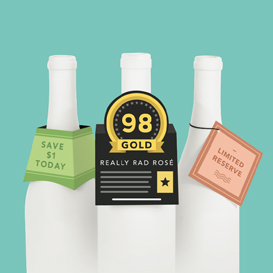
  • Design elements that align exactly with die-cut edges are prone to registration issues. We recommend a 1/16” bleed around these edges. An example includes the pop-up area of our Medallion Bottle Neckers.

File Prep

COLORS
Please be sure to supply your file in CMYK color space with no spot colors. Any Pantone and spot colors in your file will automatically convert to CMYK, which can produce unexpected results.

SUPPLYING YOUR FILE
  • InDesign / Illustrator - “Package” the file to include links and fonts.
  • PDF - Embed all images and convert text to outlines.
  • Rasterized (JPG, PNG, TIFF) - Export at high resolution (at least 600dpi). Guidelines must be removed as to not print on the final piece. Generally, rasterized files are not recommended for your final artwork.

Production

INK TOLERANCE
Slight color variation is a natural part of the offset printing process. The same ink mix can appear a shade lighter or darker between print runs due to ink, paper, and press conditions. All printing follows an industry-standard tolerance, which means colors from separate press runs may not always be a perfect match when compared side-by-side. For critical color matching, ask about upgrading your job for tighter color control.

WASTE (DIE-CUT PRODUCTS)
The waste area is held in by tiny nicks, and is to be punched out on your end. We can remove waste on our end for a reasonable fee—just ask!

SHRINK-WRAPPING
By default, printed pieces are bundled in stacks of about 100-200 pieces. If needed, you may select a specific count when choosing your product details before adding to cart (look for the drop-down option!)

File Supply Guide

Want to get into the nitty-gritty? Our full File Supply Guide is a deeper dive into our specs and best practices to help you prep like a pro.

check it out

Can you design for me?

Absolutely! Our graphic designers are thrilled to help. It’s a simple, seamless process: just answer a few questions and share any art files you’d like included. From there, your designer will bring your vision to life and collaborate with you until your artwork is approved.

Check the box to add graphic design when adding an item to your cart—or tell us about your project here.
